Article in English
Prepare a kiosk for provisional offline entry
Approve a bounded offline window, keep provisional admissions separate and reconcile them after reconnecting.
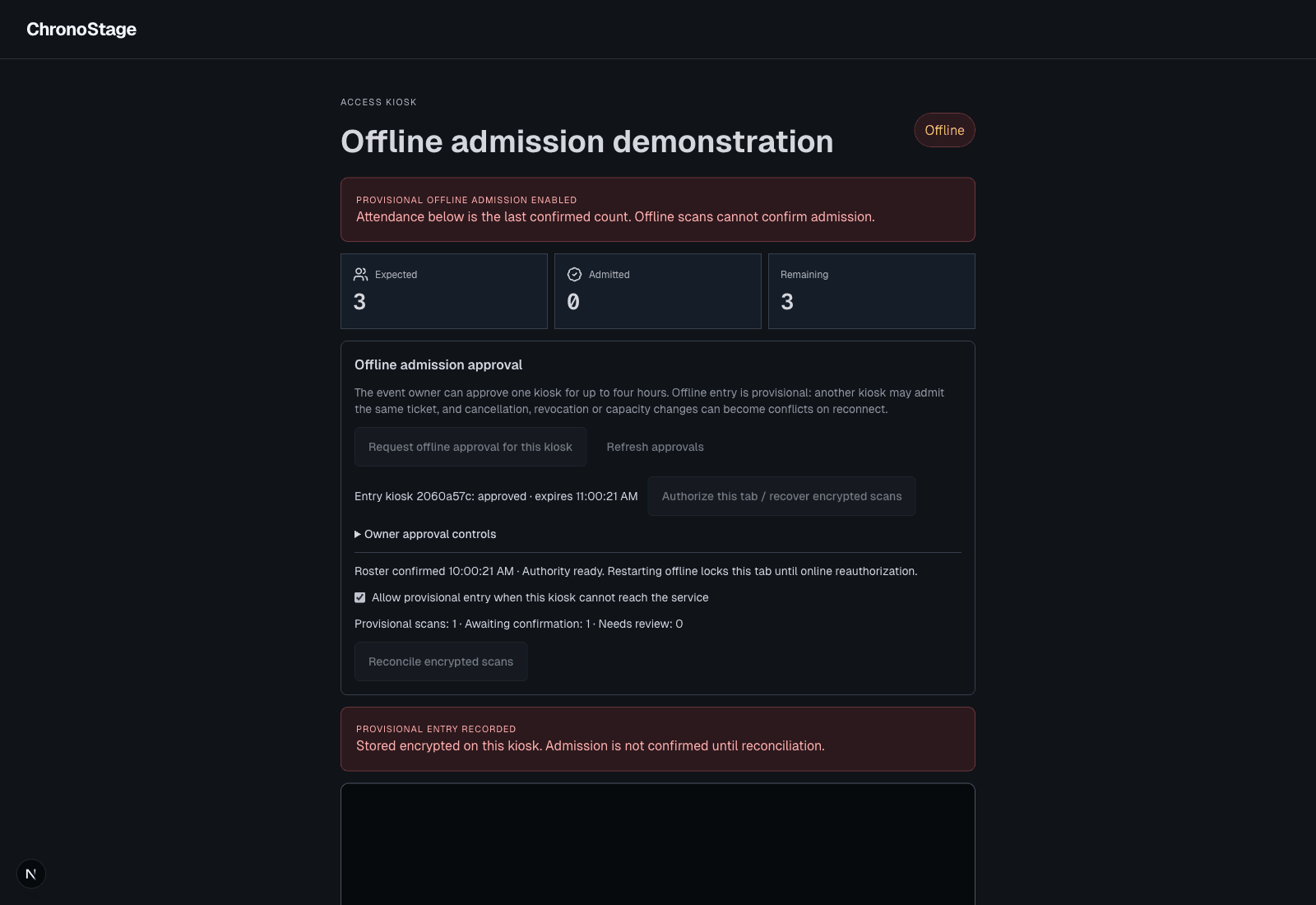
Approve the kiosk before disconnecting
When trusted offline admission is enabled, request offline approval from the kiosk and let the event owner approve a duration of up to four hours and an admission allowance. Authorize the tab while connected and explicitly accept provisional entry for that event.
The authorization belongs to the event, account and kiosk. A signed roster and session-held encryption protect the saved offline records. Reloading while offline locks the roster until online authorization is restored.
Keep provisional entry visible
A valid offline window can retain a provisional scan during a transport interruption. The kiosk labels it provisional and keeps it separate from confirmed admissions. Expired authority, an untrusted clock or an explicit online denial cannot become offline permission.
A disconnected device cannot receive a remote revocation immediately. The approved window and allowance bound that limitation; events that require live confirmation can leave offline entry disabled.
The kiosk allowance is a local limit, not a reservation of global event capacity. Other kiosks can continue online; reconciliation reports resulting conflicts for review.
Reconnect and review the result
Reconcile encrypted scans after reconnecting. The service rechecks current authority and ticket status, then returns confirmed or conflict results. Unsynced records remain until their outcome is acknowledged.
A conflict may require an organizer’s review because reconciling data cannot reverse physical entry. The illustrated demonstration interrupts a browser connection; it is not a physical network or camera hardware acceptance claim.