Article in English
Retain encrypted incident notes offline
Prepare a device while connected, save incident notes during a connection loss and sync only after confirmation.
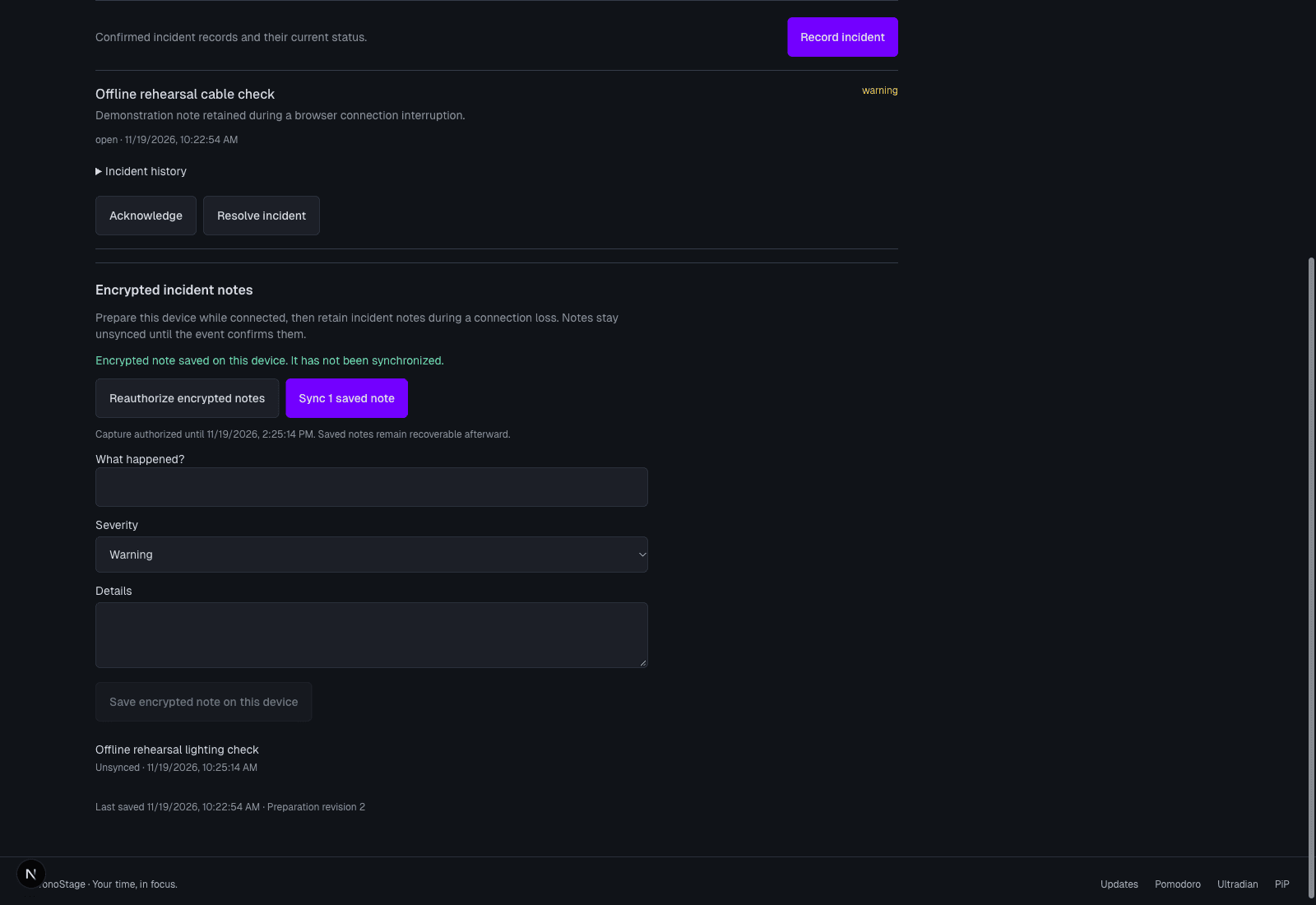
Prepare the device while connected
When encrypted incident notes are enabled and your event role allows incident recording, open Preparation, then Incidents. Choose Prepare or recover encrypted notes while connected. The capture authorization has a visible expiry.
Keep an unsynced note clearly separate
During a connection interruption, save a title, severity and optional details on the authorized device. The note is encrypted before persistent storage and remains labeled unsynced. It is not a crew message or a confirmed event incident.
Reloading, signing out or changing accounts locks the saved notes. Reconnect with the original authorized account to recover them. Older device-only notes are retained separately and are not automatically imported.
Sync with a confirmed result
Choose Sync saved notes after reconnecting. The service checks current permissions and records the incident using the original request identity. Only a confirmed receipt removes its encrypted queue entry.
A failed or uncertain result keeps the note available for recovery. Sync does not send live timer commands or start the event.