Article in English
Review a history of saved preparation changes
See which preparation changes were saved, when they happened and which authorized account made them.
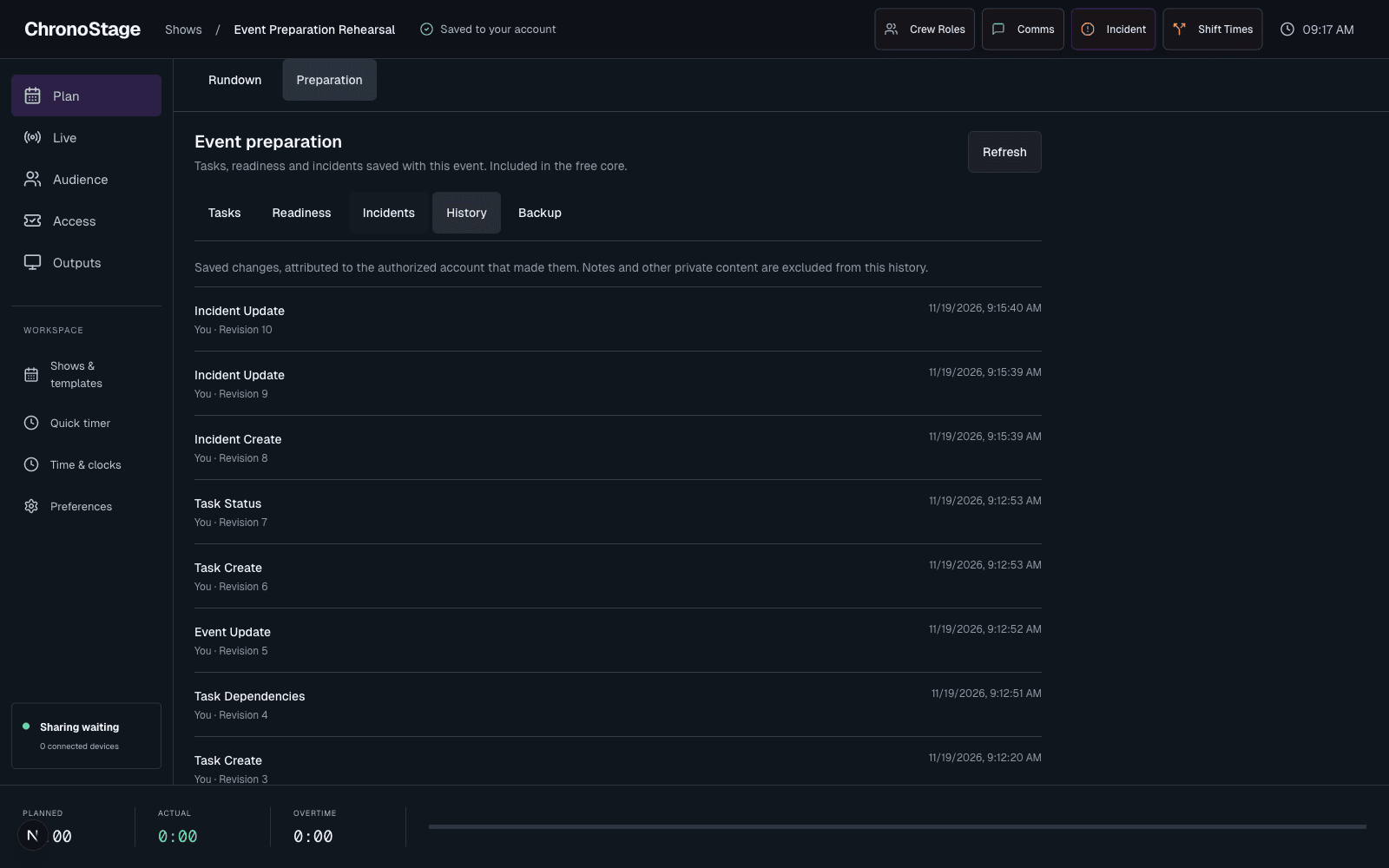
Check what was confirmed
When preparation is enabled for your account, open Preparation, then History to review saved task, event and incident changes. Each entry records the operation, authorized account, timestamp and preparation revision.
A rejected or unconfirmed request is not presented as a successful change. Retrying the same saved request does not add a second copy of the change.
Keep private content out of the activity list
History records the change type and safe metadata rather than copying task notes, contact details or credentials into an activity stream.
If history is still syncing after a confirmed save, a quiet status explains it. The saved change remains available while its history entry is reconciled.